Your First Morning With a Tachograph.

Updated: 2 days ago
A Step-by-Step Guide for New HGV Drivers
You've passed your test. You've got your Driver CPC. You've got your tachograph card.
Now it's your first morning in a real job.
You climb into the cab, look at the tachograph and suddenly realise that nobody has actually shown you what you're supposed to do from the moment you arrive at work until you pull out of the yard.
This guide is for that moment.
We're going to go through your first morning step by step: when your working day actually starts, when to insert your driver card, what the tachograph may ask you, making a manual entry, selecting your start country, checking your mode and finally setting off.
Different makes and generations of tachograph have slightly different menus and button layouts, so the exact words appearing on your screen may vary. The basic principles, however, remain the same.
1. Your Working Day May Start BEFORE You Drive
This is probably the most important thing to understand before we touch the tachograph.
Your working day does not begin when the lorry starts moving.
And it does not necessarily begin when you insert your driver card.
Your working time may already have started because you are carrying out work.
For example, you might arrive at 06:00 and:
collect your keys
speak to the transport office
check your run sheet
check paperwork
inspect your load
complete your walkaround check
carry out vehicle-related work
…and only climb into the cab at 06:15.
Those first 15 minutes haven't disappeared.
They need to be properly accounted for.
NEW DRIVER TIP
Think about what you were actually doing, rather than simply whether your card was in the tachograph.
If you were working, it needs to be recorded as work.
2. Before You Insert Your Driver Card
Before inserting the card, take a second to think:
When did I last use this card, and what have I been doing since then?
Imagine you finished work on Friday evening and removed your card.
It's now Monday morning.
The tachograph doesn't automatically know what you did between Friday evening and Monday morning.
Maybe you were resting all weekend.
Maybe you worked somewhere else on Saturday.
Maybe you drove another vehicle.
Maybe you've already been working for 15 minutes this morning before putting the card in.
That gap in your record needs to be accounted for correctly.
This is where manual entries come in.
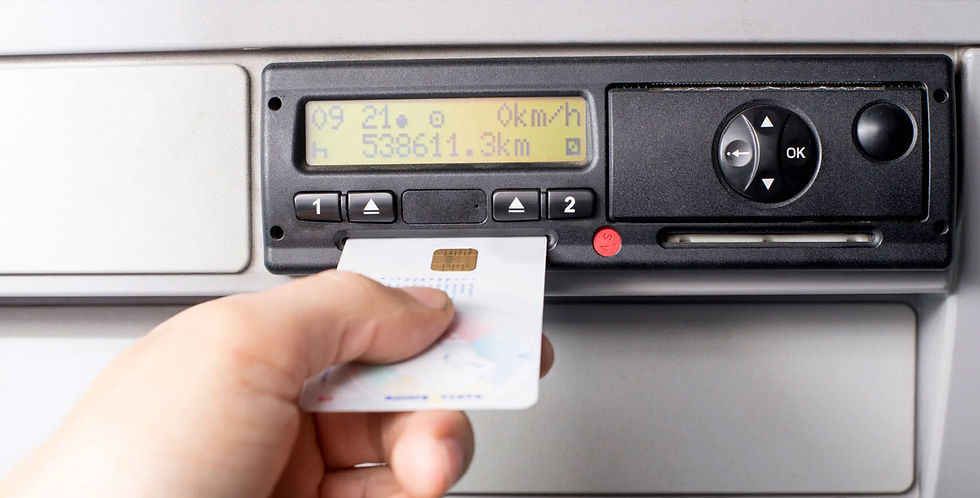
3. Insert Your Driver Card
If you are driving the vehicle, your card goes into:
SLOT 1 — DRIVER
Slot 2 is normally used by the second driver when a vehicle is being double-manned.
Insert your card in the correct orientation for the particular tachograph unit.
The tachograph will begin reading the card.
Don't rush it.
Allow the unit to complete the card-reading process and follow the prompts on the display.
Your driver card is personal to you. Never use another driver's card and never allow another driver to use yours.
4. The Tachograph Will Look Back to Your Previous Activity
Once your card has been read, the tachograph will identify when it was last withdrawn.
Depending on the unit, you'll see information relating to your previous withdrawal and will be given the opportunity to make a manual entry.
This is an important point.
DO NOT AUTOMATICALLY PRESS “NO”.
Before answering, ask yourself:
Is everything I've done since this card was last removed properly accounted for?
If the answer is no, you may need a manual entry.
Manual entries can be used to record activities such as:
Other Work 🔨
Period of Availability ⬜/POA
Break/Rest 🛏
The RSA specifically advises drivers to manually enter relevant activities undertaken since their card was last removed from a tachograph.
5. Example: The Easy Monday Morning
Let's make this practical.
You finished work at:
Friday — 18:00
You removed your driver card and went home.
You did no other work over the weekend.
You start work again:
Monday — 06:00
You put your card into the tachograph immediately when you begin work.
Your missing period is therefore:
Friday 18:00 → Monday 06:00
If that entire period genuinely was rest, you record that period appropriately as rest.
Once the manual entry has been completed and confirmed, your record now accounts for the period between removing the card on Friday and inserting it again on Monday.
6. Example: You've Already Done Your Walkaround
Now let's make it more realistic.
You arrive at work at:
06:00
You begin your walkaround check.
You finish the check and climb into the cab at:
06:15
You insert your driver card at 06:15.
Your working day did not start at 06:15.
It started at 06:00.
So your record needs to distinguish between the period when you were resting and the period when you were working.
For example:
Previous shift ended Friday 18:00
⬇
REST — Friday 18:00 to Monday 06:00
⬇
OTHER WORK — Monday 06:00 to 06:15
⬇
Card inserted — Monday 06:15
That 15-minute walkaround check is work.
This is exactly why understanding manual entries matters.
However, the most straightforward way to record a walk around check at start of shift is as follows:
A Simple Way to Start Your shift-
The simplest way to make sure your walkaround check and other start-of-shift duties are recorded correctly is to put your driver card in before you begin them.
For example, if you arrive at your lorry at 06:00, switch on the ignition and insert your driver card into Slot 1. Complete any manual entries required to account for the period since you last removed your card, enter your start country, and allow the tachograph to finish reading your card.
Once you are logged on, make sure the tachograph is set to Other Work (crossed hammers).
You can then carry out your daily walkaround check, complete your paperwork and perform any other work required before departure. All of that time is being recorded correctly as Other Work while you are doing it.
If you finish your checks and paperwork at 06:15 and are ready to leave, simply begin driving. As soon as the vehicle moves, the tachograph will automatically change from Other Work to Driving.
So your morning record is nice and straightforward:
06:00 — Card inserted → Other Work
06:00–06:15 — Walkaround check and paperwork → Other Work
06:15 — Vehicle moves → Driving automatically begins
This is much simpler than carrying out your walkaround first and then having to manually enter that period of Other Work afterwards.
GOOD HABIT: Put your card in and get your tachograph recording correctly before you start your walkaround and other vehicle-related work.
7. Check the Manual Entry BEFORE Confirming It
This deserves its own section.
Slow down.
One wrong time or wrong activity can create an incorrect record.
Before confirming the manual entry, look back through what you've entered.
Ask:
Does this accurately describe what I was actually doing?
Check:
the start time
the finish time
the date
the activity selected
that there aren't unexplained gaps
that work hasn't accidentally been recorded as rest
that rest hasn't accidentally been recorded as work
Don't simply hammer the OK button to get through the menus.
You're creating your legal activity record.
Take the extra few seconds and check it.
8. Select Your Start Country
At the beginning of your daily working period, you must record the country in which that working period begins.
For a driver beginning work in Ireland, this will normally be:
🇮🇪 IE — IRELAND
Select the appropriate country and confirm it.
The same principle applies at the end of your daily working period: the country where that working period finishes must also be recorded.
DON'T FORGET THIS
Start country and end country are small entries that are very easy to overlook.
They are still required.
If your card has been left in the tachograph overnight, you may not receive the normal insertion prompt, so the start/end country may need to be entered through the tachograph menu.
9. Wait Until the Card Has Been Properly Read
Don't insert the card and immediately try to drive away.
Allow the tachograph to finish reading it.
The RSA guidance describes the card symbol appearing once the vehicle unit has read the card data and the standard vehicle-unit display returning.
At that point, you're logged in.
Take a few seconds to look at the display.
Make sure there isn't a warning or error message you have simply clicked past.
10. Check Your Activity Mode
Before moving, look at the activity assigned to you.
If you're doing work before driving — paperwork, vehicle checks, loading, securing a load, etc. — that activity is normally recorded as:
🔨 OTHER WORK
The tachograph automatically records driving once the vehicle moves.
But it cannot read your mind.
For activities other than driving, you need to make sure the correct mode is being recorded.
This is why developing the habit of looking at your tachograph whenever your activity changes is so important.
Don't just think:
"My card is in, so I'm grand."
The question is:
Is my card recording what I'm actually doing?
11. Now You Start Driving
Once the vehicle begins moving, the tachograph automatically switches to:
🚚 DRIVING
You do not manually select driving.
The vehicle movement triggers it automatically.
When you stop, however, do not assume the tachograph knows what you're doing next.
You might be:
🔨 doing other work
⬜ on a period of availability
🛏 taking a qualifying break/rest
Those are very different activities.
This is where you come back into the equation.
Check the mode.
12. Build the “MODE CHECK” Habit
One of the best habits you can develop as a new professional driver is incredibly simple:
EVERY TIME YOUR ACTIVITY CHANGES — CHECK YOUR MODE.
Stop to unload?
Check your mode.
Waiting somewhere and genuinely meeting the conditions for POA?
Check your mode.
Taking your 45-minute driving break?
Definitely check your mode.
Finish the break and start doing paperwork?
Check your mode.
Finish your shift?
Check the tachograph and complete your end-of-day procedure.
After a while this becomes automatic.
Your First-Morning Routine
Before you pull away, mentally run through this checklist:
1. When did my working day actually start?
2. Is all activity since I last used my card accounted for?
3. Card into Slot 1.
4. Complete any necessary manual entry.
5. Check the manual entry before confirming it.
6. Enter the correct start country.
7. Wait for the card to be fully read.
8. Check for warnings or errors.
9. Check my current activity mode.
10. Drive — and remember that driving mode will be selected automatically when the vehicle moves.
One Final Rule
A tachograph is not something you should be frightened of.
But it isn't something you should blindly click your way through either.
Every symbol, mode and manual entry is building a record of your working day.
When you're new, take your time.
Read what the screen is asking you.
Think about what you were actually doing.
Check before you confirm.
And if you genuinely don't understand what the tachograph is asking you, ask someone before guessing.
Five seconds spent asking a question is considerably better than discovering weeks later that you've been recording something incorrectly.
The goal isn't simply to “use the tachograph”.
The goal is to create an accurate record of your working day.



Comments